Enterprise WordPress change management on managed hosting
Fast infrastructure alone does not keep large WordPress sites reliable. The discipline that decides whether a deployment succeeds is the change management process layered on top of it.
Large WordPress sites rarely break because the server is too slow. They break because a plugin update, a PHP version upgrade, or a content redesign reaches production without a tested path for recovery. For enterprise teams, the real hosting question is no longer raw speed; it is how the platform handles the constant stream of changes that every WordPress environment absorbs over its lifetime.
That is the core idea behind enterprise WordPress change management: a controlled, repeatable process for testing, approving, deploying, and rolling back changes without putting revenue, compliance, or brand reputation at risk. The platform you choose should make that process the default rather than something your engineers have to assemble every week.
Key Takeaways
- Hosting speed determines how fast pages load, but change controls determine whether the site still works after a deployment.
- A managed WordPress hosting platform should ship with containerized staging, selective push tools, layered backups, and role-based access built in.
- Every production push should generate an automatic backup so rollback is one click, not a reconstruction job.
- Standard staging is enough for plugin and content tests; premium staging is needed for traffic, edge caching, and WooCommerce scenarios that only surface under load.
- PHP, core, plugin, and database schema changes each carry different failure modes and need different test paths.
Why Change Risk Is the Primary Enterprise Concern
WordPress environments keep changing long after launch. Core releases arrive on a fixed schedule, plugin updates can run into the dozens each month, PHP version upgrades alter the execution layer underneath every site, and major plugin versions may introduce database schema changes that clash with prior custom code. Any one of those changes can fan out into customer portals, compliance workflows, or revenue-bearing commerce flows.
When something does break, post-incident reviews usually point at a deployment that went out without a reliable testing path rather than at infrastructure. A hosting provider that lacks formalized staging, rollback options, or access controls effectively delegates the safety net to the team. Over time that produces manual pre-update backups shared through chat, informal approvals, and recurring firefighting that pulls engineers off project work.
For readers evaluating enterprise WordPress hosting, the practical question is whether deployment is predictable and recovery is fast. Everything else, including raw speed, is secondary.
Standard vs Premium Staging: Matching the Test Bed to the Risk
Staging is the foundation of a safe change process. It gives teams an isolated environment where a change can be tested against the real stack before it touches production. Not every staging tier is built for every kind of change, so the first scoping decision is which environment type the change actually needs.
| Staging attribute | Standard staging | Premium staging |
|---|---|---|
| CPU and RAM allocation | Single CPU with fixed RAM | Matches the live container resource profile |
| Caching behavior | Server caching available, no CDN or edge caching | Includes CDN availability and edge caching support |
| Best fit for | Plugin updates, theme design reviews, content workflow tests | High-traffic configurations, WooCommerce, edge behavior, production-scale load tests |
| Included with plan | One free per site on every plan | Up to five premium environments per site as an add-on |
Standard staging is the right baseline for routine plugin updates and content changes. Premium staging earns its cost when tests only become meaningful under real traffic, real caching layers, and real database volume. If you maintain multiple parallel development streams, the premium add-on also reduces the friction of sharing one bottleneck environment across teams.
Selective Pushes: Keeping Deployments Narrow and Auditable
A full staging-to-production push can quietly overwrite more than it should. Test pages, draft content, or database rows that drifted out of sync with production will all come along for the ride. Selective pushing limits a deployment to exactly the change being shipped.
In practice a MyKinsta deployment typically splits into three scopes. Push files only to ship themes, plugins, and code while leaving the live database intact, which fits code changes where the production database is the source of truth. Push the database only for structural changes such as custom post types or plugin configurations stored in the database. Combine both when a code change and a data change genuinely belong together. Within each scope, drop-down menus let teams restrict the push to specific files, folders, or database tables.
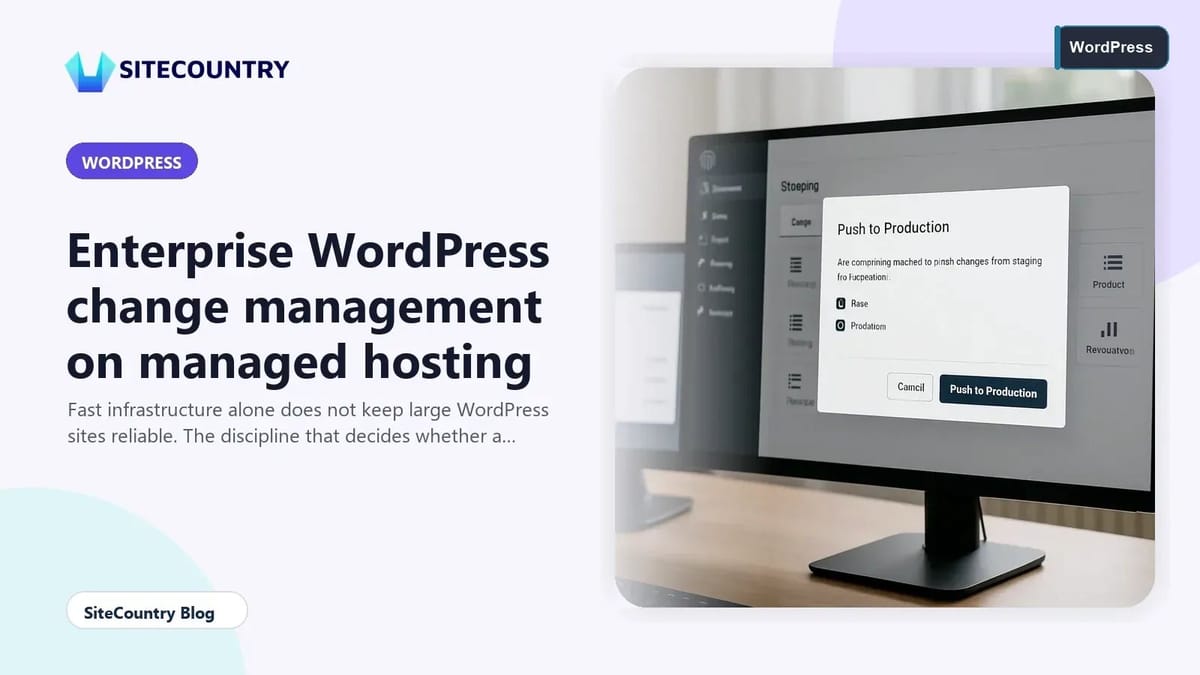
Before any push to a live environment, the platform should create a system-generated backup of production that captures the exact pre-deployment state. That snapshot becomes the restore point the moment the push completes. If a deployment produces an unexpected outcome, rollback becomes a single operation rather than a reconstruction job that depends on whoever remembers which backup is the right one.
For changes that touch the URL structure or swap domains, a built-in search and replace step is essential because the staging database will reference staging URLs. When the search and replace tool only runs on the database, plan an extra pass for files and folders that may also carry old URLs.
Layered Backups and Role-Based Access
Backups and access control are the unglamorous parts of change management, and the parts most often skipped under pressure. A layered backup model pairs short-retention automatic backups with longer-retention manual points so teams can roll back minutes, hours, or weeks depending on when the regression actually appeared.
Role-based access closes the gap between testing and production by ensuring only the right people can trigger a push, restore a backup, or change environment settings. When approval gates live inside the platform rather than in chat threads or shared documents, audit trails become trustworthy and onboarding new engineers stops creating new risk. The same logic applies to isolating credential exposure when integrating CI pipelines.
What an Enterprise Change Process Looks Like in Practice
A disciplined enterprise WordPress change process follows the same shape regardless of the specific toolchain. It starts with a written change description and an owner, opens a fresh staging environment that mirrors production, applies the change in isolation, runs regression checks against the integrations that change tends to break, and gathers explicit sign-off before scheduling the push. After deployment, monitored error rates and performance metrics confirm the change behaves as expected.
That sequence only works if the platform enforces the boundaries. A free staging tier built into every plan keeps teams from cutting corners on small updates. Premium staging gives the same discipline to high-risk changes that cannot be tested at toy scale. Selective pushes prevent test content and database drift from leaking into production. Automatic pre-deployment backups turn rollback into a one-click action. Role-based access keeps the production environment inside a small, accountable group.
Readers running multiple WordPress properties can layer a related trick on top: reusing the same selective push pattern for staging-to-staging promotions, so a feature branch graduates through environments instead of arriving in production untested. That habit also makes it easier to apply lessons from testing WordPress 7.1 beta 3 environments safely, which the SiteCountry Blog walks through in detail at WordPress 7 1 beta 3 what to test.
Beyond Hosting: Where SiteCountry Readers Usually Pair These Tools
Enterprise change management rarely lives inside the hosting dashboard alone. Teams typically pair platform staging with version control for code, an external secrets manager for credentials, an uptime and error monitoring stack, and a CDN-aware caching strategy. The goal is not to collect tools; it is to make every change leave a trace, every deployment leave a backup, and every rollback finish inside a maintenance window rather than a crisis.
Two SiteCountry resources pair naturally with the staging and rollback workflow. Before pushing to production, run through the checklist-style recovery steps in how to fix critical error in WordPress. When a redesign changes URL patterns, the safer move is to plan the redirects in advance using how to create 301 redirects in WordPress, so a staging-driven search and replace never strands SEO traffic.
Frequently Asked Questions
What is enterprise WordPress change management?
Enterprise WordPress change management is the controlled process of testing, approving, deploying, and rolling back changes to a production WordPress site. It covers plugin updates, core upgrades, PHP version changes, theme redesigns, and database schema modifications. The aim is to keep revenue, compliance, and brand reputation stable while still allowing the site to evolve.
How does a staging environment reduce WordPress deployment risk?
A staging environment creates a separate copy of the site where updates and redesigns can be tested against the same stack as production. Problems surface in staging before they can affect real visitors, and the production database and files stay untouched until a deliberate push. Standard staging covers routine plugin and content changes, while premium staging is needed for tests that depend on production-scale traffic and edge caching.
What is a selective push and why does it matter?
A selective push moves only specific files, folders, or database tables from staging to production instead of replacing the whole environment. It stops test content and drifted staging data from overwriting production. For code-only changes, push files; for structural changes stored in the database, push the database; combine both only when both genuinely need to move together.
How fast should WordPress rollback be on managed hosting?
On a managed WordPress platform, rollback should be a single operation in the dashboard rather than a manual restore from a remote backup. The platform should create an automatic backup of production right before each push so the pre-deployment state is always recoverable. For enterprise teams, target a rollback path that completes inside a maintenance window, not one that depends on whoever is on call.
Do enterprise WordPress teams still need role-based access on managed hosting?
Yes. Role-based access keeps the production environment inside a small, accountable group, separates approvers from deployers, and produces trustworthy audit trails. On managed hosting it also reduces the blast radius when credentials leak, because not every user needs the ability to push code, restore backups, or change environment settings.
Conclusion: An Action Checklist for Enterprise WordPress Hosting Decisions
- Audit the last three production incidents and label each one as a change problem, an infrastructure problem, or a hybrid.
- Confirm that the hosting platform ships with a free standard staging environment for every site and offers premium staging for high-traffic and commerce tests.
- Replace full environment pushes with selective pushes scoped to files, database, or both, and document the rule for each kind of change.
- Verify that every production push triggers an automatic pre-deployment backup and that rollback is a one-click action in the dashboard.
- Apply role-based access so only named roles can push to production, restore backups, or edit environment settings.
- Schedule a review of PHP version, core, plugin, and database schema changes against the staging matrix on a fixed cadence.
The platform choice that satisfies enterprise WordPress teams is rarely the fastest benchmark winner. It is the one that turns change management from a recurring fire drill into a routine, documented workflow your engineers can trust.