Accessibility in WordPress Themes: Easier Than Most Developers Assume
WordCamp Europe 2026 speaker Jessica Lyschik argues that accessibility in WordPress themes is more approachable than theme authors expect, and walks through the practical steps that get a theme to accessibility-ready status.
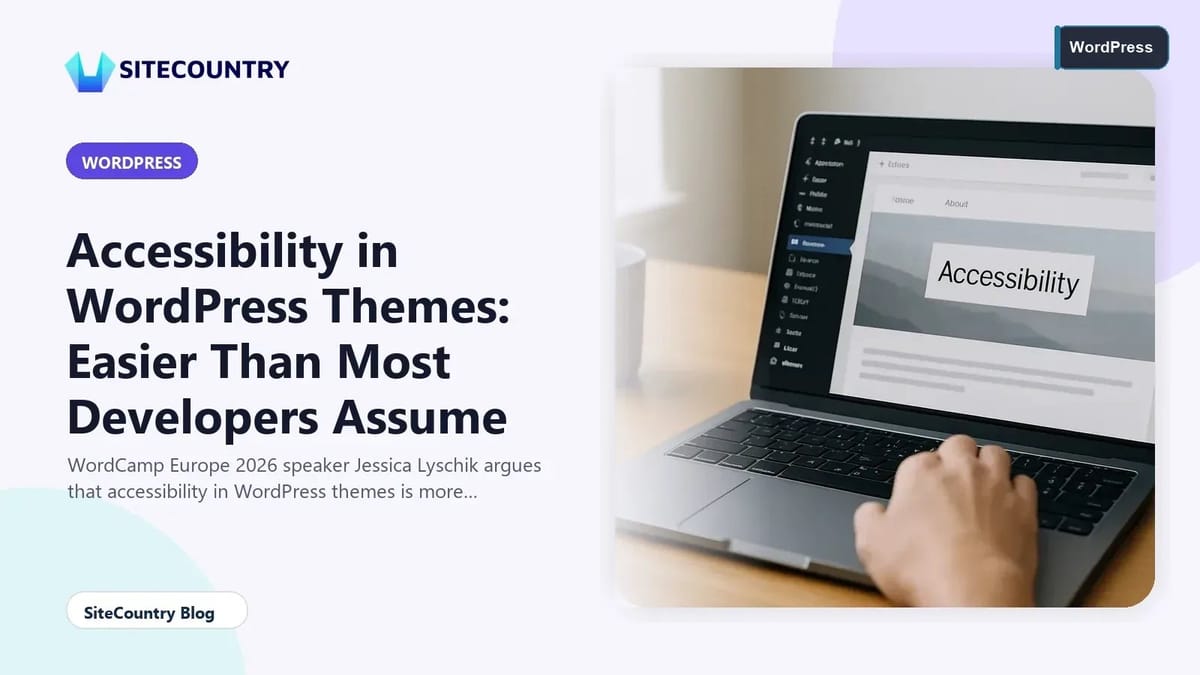
Accessibility in WordPress themes often gets treated as a specialist subject reserved for agencies with dedicated teams, but the reality discussed at WordCamp Europe 2026 is far less intimidating. Jessica Lyschik, a longtime community member and accessibility advocate, framed her talk around a simple idea: the gap between what theme authors assume accessibility ready status requires and what it actually demands is much smaller than people think. For website owners, developers, and hosting customers, that gap matters, because the choices made at the theme layer ripple into every page, every form, and every visitor experience on the site.
This article unpacks what Jessica shared about the accessibility ready tag, the documentation that backs it up, and the concrete changes that move a theme closer to working well for everyone, including visitors who navigate with keyboards, screen readers, or assistive technologies. The goal is not to turn every reader into an accessibility auditor, but to help the next person who picks a theme or authors one understand what good looks like and where the low-hanging fruit actually lives.
Key Takeaways
- Accessibility in WordPress themes is largely a matter of using correct HTML, writing alt text, and configuring a skip to content link, not a sweeping redesign.
- Block themes and classic themes can both reach accessibility ready status; the principles overlap more than the syntax differs.
- Building accessibility in from the start is faster than retrofitting it after a theme has shipped and accumulated user expectations.
- AI tools are pushing accessibility higher on the agenda because automated audits surface gaps that humans and clients now expect to be resolved.
- Documentation, interdisciplinary awareness, and SEO-friendly markup are all part of the same conversation about accessible defaults.
Why Accessibility in WordPress Themes Often Feels Harder Than It Is
Jessica's central observation, both on stage and in the WP Tavern Jukebox conversation, is that many theme developers hold themselves back before they begin. The WordPress theme review guidelines and the accessibility ready requirements have a reputation for complexity that does not match the experience of working through them step by step.
Part of that mismatch comes from terminology. Themes that pass review without accessibility considerations are typically missing a small, identifiable set of things, not a broad architectural rewrite.
A second barrier is documentation drift. Even experienced developers describe moments where they had to look up exactly how a particular pattern was supposed to behave. Jessica's pitch is that reading the spec is worth doing at least once, because the requirements turn out to be more readable than their reputation suggests.
What Accessibility Ready Actually Requires
The accessibility ready tag is not a vague aspiration. The table below summarizes the main groups of requirements and what each one asks of a theme author.
| Requirement area | What the theme needs to do | Why it matters for visitors |
|---|---|---|
| Semantic HTML structure | Use proper heading levels, landmark elements, and lists where appropriate. | Screen readers and keyboard users can navigate by structure, not by visual scanning. |
| Skip to content link | Provide a link that lets keyboard users jump past repeated navigation. | Saves time and effort on every page for users who cannot use a mouse. |
| Image alt text and media equivalents | Support meaningful alternative text and captions for images, audio, and video. | Conveys content and intent to visitors who cannot see or hear the media. |
| Forms and interactive controls | Associate labels with inputs, manage focus, and announce state changes. | Forms become usable for assistive technology instead of opaque interfaces. |
| Color contrast and visual states | Meet contrast ratios and signal focus, hover, and active states beyond color alone. | Low vision and situational lighting conditions do not block use of the site. |
Block Themes Versus Classic Themes for Accessibility
One recurring question Jessica addressed is whether block themes have an accessibility advantage over classic themes. That reduces the surface area a theme author has to test by hand.
Classic themes are not at a structural disadvantage. They simply put more of the responsibility on the developer. For teams maintaining classic themes, the path forward is to audit each template part against the same checklist a block theme would inherit from core.
Where block themes particularly shine is in the way they separate presentation from structure. That readability benefit is one reason accessibility advocates inside the WordPress community tend to encourage newcomers to start with block themes when accessibility is part of the goal.
Practical Steps That Improve a Theme This Week
Jessica spent a meaningful portion of her talk on actions developers can take immediately. None of them require a planning cycle or a stakeholder meeting. They are checklist items that, taken together, move a theme meaningfully closer to accessibility ready status.
- Audit every image and decorative element for alt text, and decide deliberately whether each image is content or decoration.
- Add a skip to content link at the top of every template, styled to become visible when it receives keyboard focus.
- Verify that heading levels descend without skipping, and that there is exactly one H1 per page.
- Confirm that every form input has a programmatically associated label and that error messages are announced.
- Check focus indicators against the color palette to make sure they remain visible across backgrounds.
- Test the theme with keyboard only, then with a screen reader such as NVDA or VoiceOver, before declaring it done.
For website owners who do not author themes but pick them, the same list translated into buying criteria is useful. A theme that already exposes sensible landmarks, manages focus, and pairs well with the block editor will save time on every page that follows.
How Accessibility Connects to AI, SEO, and Content Teams
One of the more interesting threads in Jessica's interview is the way accessibility intersects with adjacent disciplines. That shift is putting accessibility higher on agendas that used to treat it as a courtesy.
SEO teams benefit from the same semantic structure. Designers benefit too: color contrast and focus indicators that begin as accessibility requirements end up improving the experience for visitors in bright sunlight, on poor displays, or simply in a hurry.
Interdisciplinary awareness matters because accessibility decisions rarely belong to a single team. Jessica's recommendation is to make those decisions visible so the next person in the chain can keep them consistent. For teams shipping sites quickly, a short accessibility checklist added to the existing editorial workflow catches most regressions before they reach production.
Where Themes Still Struggle and What the Community Is Doing About It
Despite the encouraging tone of Jessica's talk, there are real gaps. Documentation around advanced interactive patterns is uneven, and contributors continue to push for clearer examples. The community response, which Jessica highlighted, is a steady stream of improved documentation, more accessible default themes in core, and leaders who volunteer time to mentor first-time accessibility contributors.
Another area of ongoing work is making sure accessibility does not become a one-time pass. Treating accessibility as a living part of theme ownership rather than a checklist moment is the long-term shift the ecosystem is working toward.
For hosting customers and site owners, the practical implication is to revisit theme choices periodically, especially before major redesigns or platform upgrades. If you are curious about keeping a WordPress site running smoothly while accessibility work happens in the background, reading up on why is my WordPress site slow how to fix it is a useful adjacent exercise. For teams operating at enterprise scale, the same accessibility-first mindset pairs naturally with disciplined change management, something covered in detail in the guide to enterprise WordPress change management.
Frequently Asked Questions
What does the accessibility ready tag actually mean for a WordPress theme?
The accessibility ready tag is awarded by the WordPress theme review team after a theme passes a defined set of checks. Those checks cover things like semantic HTML, skip to content links, alt text support, form labeling, and color contrast. It signals that a theme has been reviewed against published accessibility requirements rather than that it is perfect for every user, so it is a strong starting point rather than a finish line.
Do block themes have an accessibility advantage over classic themes?
Block themes do not automatically pass accessibility, but their templates use HTML that aligns well with the guidelines and many of their interactive elements come from WordPress core. Classic themes can reach the same standard; they simply require more deliberate choices in PHP templates. Either route works as long as the theme author treats accessibility as a design constraint from the beginning.
How long does it take to make an existing theme accessibility ready?
For a modestly sized theme with clean templates, the bulk of the work is often a matter of days rather than weeks, especially if the bulk of the changes are alt text discipline, a working skip link, and consistent semantic markup. Larger themes with custom interactive widgets usually take longer because each component needs its own attention. Building accessibility in from the start remains the cheapest path overall.
Is accessibility the same as SEO best practice in WordPress?
The two overlap heavily but are not identical. Semantic headings, descriptive link text, meaningful image alt text, and clear page structure help both screen reader users and search engines understand a page. Accessibility goes further with requirements like focus management and form labeling that do not directly affect ranking. Treating accessibility as the broader standard usually improves SEO as a side effect rather than the other way around.
What is the single highest-impact change a theme author can make today?
Add a properly implemented skip to content link and audit every image for alt text. Both fixes are small in code, immediately visible to assistive technology users, and representative of the wider discipline. Once those habits are in place, the rest of the accessibility ready checklist becomes incremental rather than intimidating, which is exactly the shift Jessica described in her WordCamp Europe 2026 session.
Conclusion
Accessibility in WordPress themes is less a mountain than a series of well-marked steps, and Jessica Lyschik's WordCamp Europe 2026 talk made that case persuasively. The checklist is finite, the patterns are learnable, and the benefits accrue to every visitor, not only those using assistive technology. For theme authors, the path is to start with HTML that already does the right thing, anchor every image with intention, and make keyboard navigation a first-class experience. For site owners choosing a theme, the path is to favor accessibility ready options and to keep that standard alive through ongoing maintenance.
Before you publish or upgrade a theme, run through this short action checklist:
- Confirm there is one H1 per page and that headings descend without skipping levels.
- Audit every image for alt text, including featured images and decorative icons.
- Verify a skip to content link appears on focus and works from every template.
- Test the theme using only a keyboard, then with a screen reader on at least one page.
- Review form inputs, error messages, and interactive widgets for labeling and focus behavior.
- Recheck any new block patterns or third-party integrations after each WordPress core update.
Doing this once sets a baseline. Doing it on a schedule keeps accessibility from quietly slipping as the site grows, and that is the difference between a theme that meets a standard once and a theme that respects its visitors over the long term.